CPA Pilot SWAY
  • Home
  • Product
    • How It Works
    • Pricing
    • Team Plans
    • For Your Firm
      • AI Front Desk
      • CPA Pilot Studio
  • Blog
  • Tools
    • AI Tools
      • AI Tax Return Summary
      • Tax Research Assistant
      • AI Social Media Calendar
      • Tax Return Review
      • Tax Projections
      • AI Tax Law Content
      • Client Tax Organizer
      • Tax Plan Generator
      • AI Tax Software Import
      • AI Email Assistant
      • Entity Selection
    • Services
      • Fractional Chief AI Officer
      • Custom AI Automation
  • Resources
    • Blog
    • Referral Program
      • Affiliate Login
      • Affiliate Registration
      • Affiliate Area
    • CPA Pilot vs TaxGPT vs ChatGPT
  • Demo
  • Company
    • About
    • Security
    • Contact
  • Login
Start Free Trial
Clear

Use a seat to add me as a team member

Number of Seats:

Team CPA Pilot 60

From: $49.00 / month per member

✓ 60 Messaging
✓ Includes Federal and State Tax Resources
✓ Tax Software Support
✓ Training Documentation
✓ Volume Discounts Available
Team Plan

CPA Pilot User Guide

Welcome to CPA Pilot, your AI-powered tax assistant designed to simplify and streamline your tax preparation process. 

Team Plans allows you to create a team and add/invite multiple members to that team.

Follow this step-by-step guide to get started with CPA Pilot.

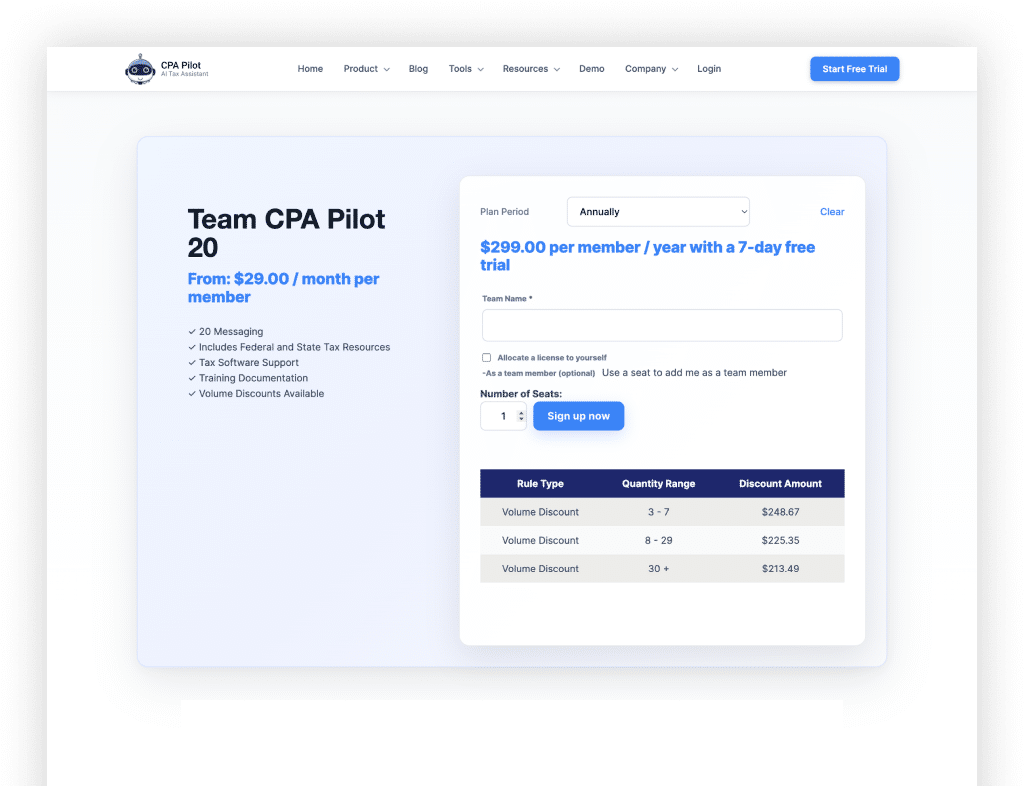
On the Team Product Page:

  1. Enter your Team Name – Choose something memorable and unique to identify your team.

  2. Allocate a license to yourself – Join the team as a member by selecting this optional setting. (Optional)

  3. Specify the number of seats you’d like to assign to your team.

After clicking “Sign up now”, you’ll be redirected to the payment page to complete your purchase.

Go To “My Account”: https://plan.cpapilot.com/my-account

Step 1

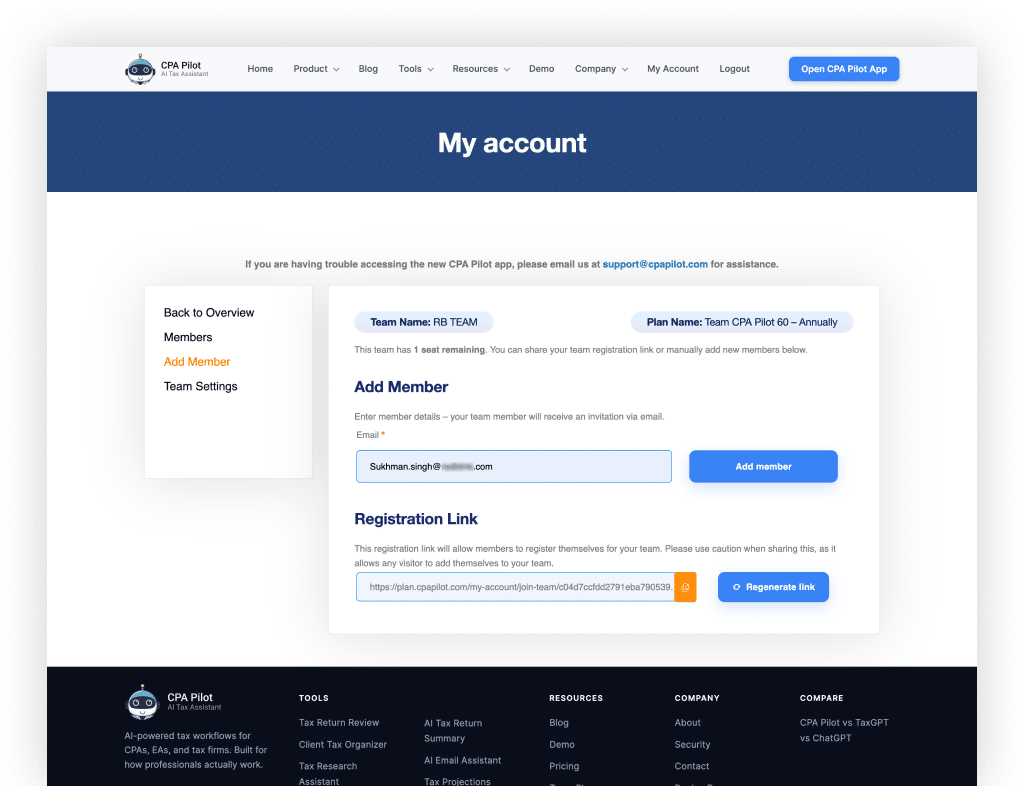
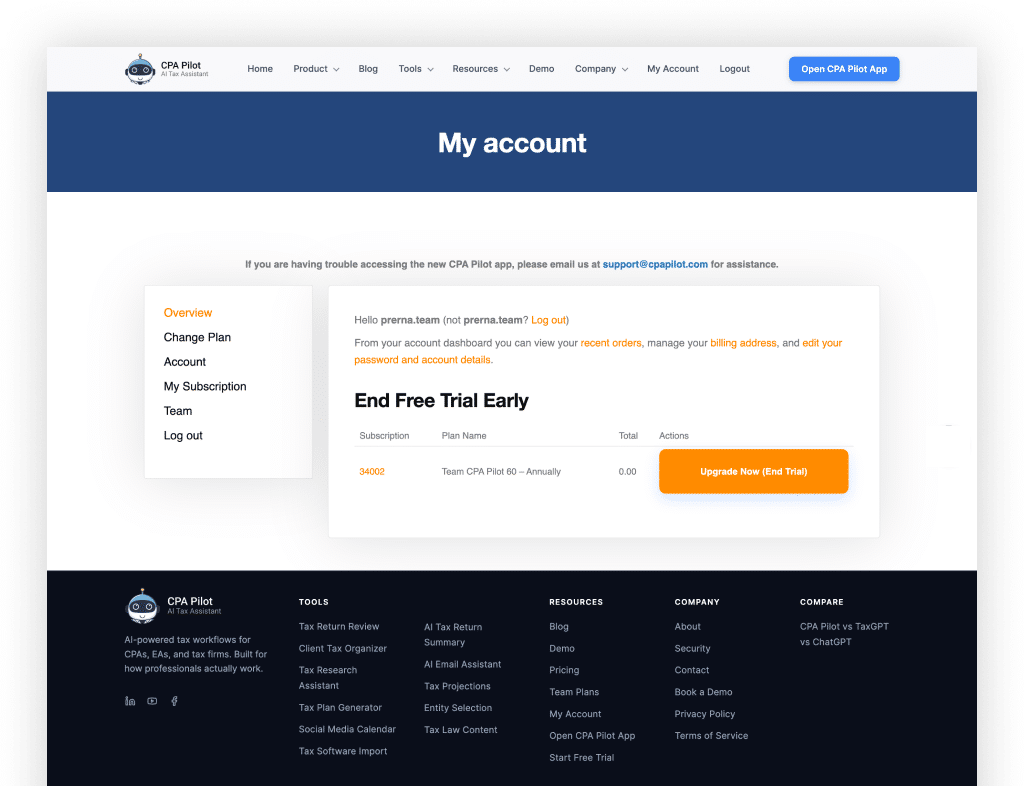
To add/invite Members click on the “Team” menu, you will be redirected to the “Add Member” page.

Step 2

There are 2 options to Add Member:

  • Email Invite: Input email under Add Member, Member will receive the email to join the team. 
  • Share Registration Link: To add members using the Registration Link, share the Registration link with the members.

Step 3

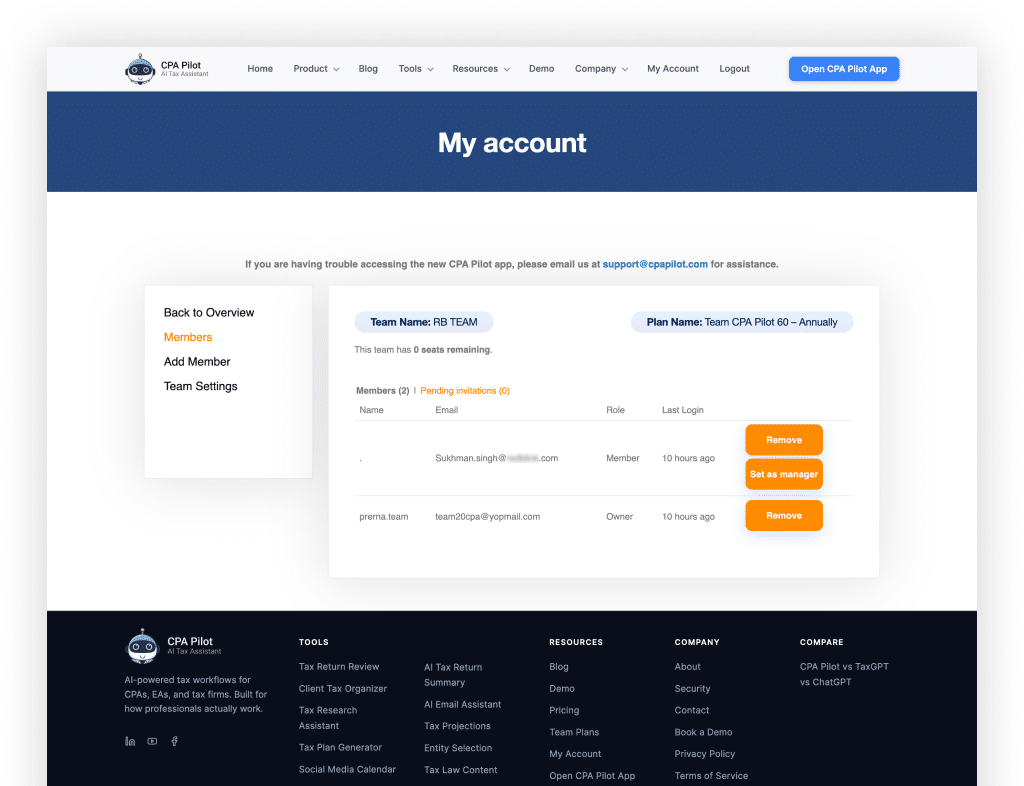
To List Team Members:

  • Click on the “Members” menu to see the members in your team.

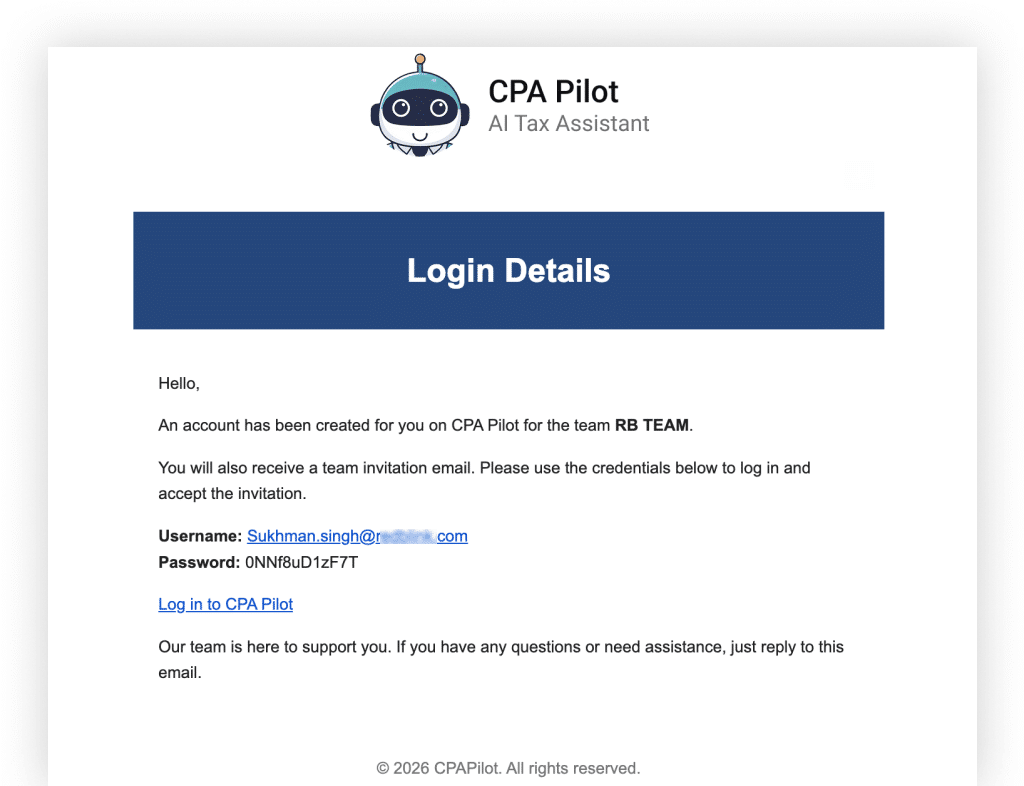
If you are a new member of CPA Pilot who has received an invitation to join this amazing platform, your account will be automatically created for you. Follow these steps to join your team:

Step 1

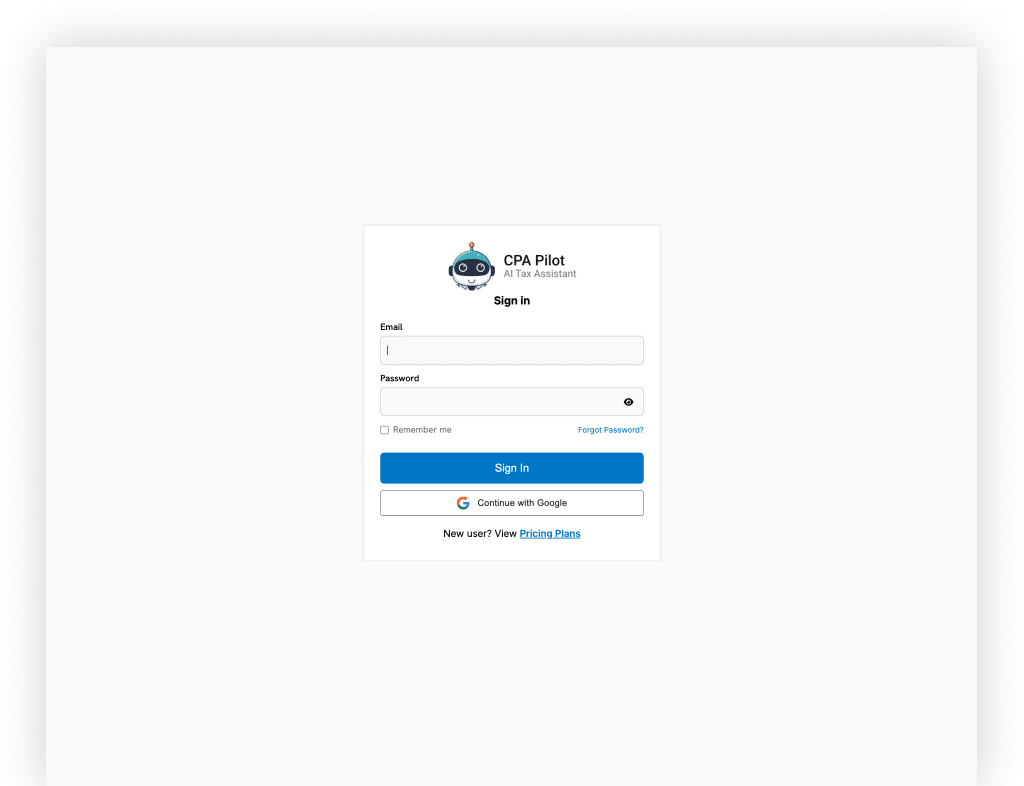
You will receive an email with your account access details. Use these details to log in to CPA Pilot.

Step 2

Once logged in, check your email for the invitation link to join the team.

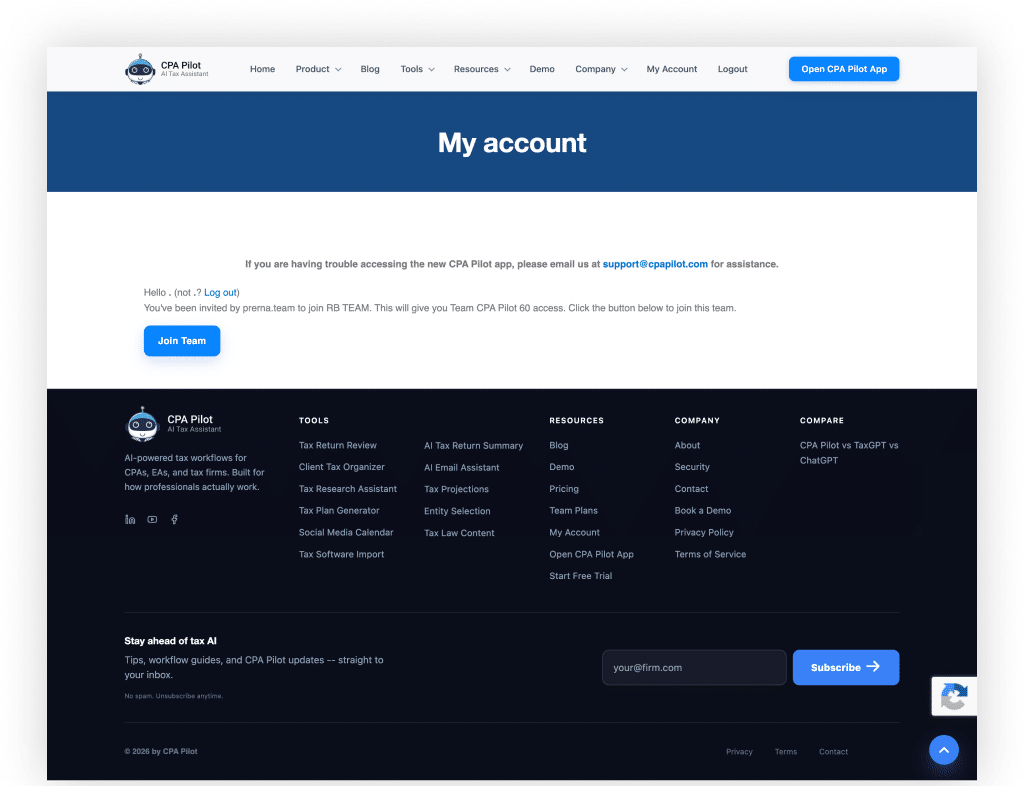
Click on the invitation link in your email. You will be redirected to the “Join Team” page.

Step 3

Click on the “Join Team” button. You will be redirected to the “Team Membership” page where you can see your team access.

Now, click the “Open CPA Pilot App” button from the header navigation to access the CPA Pilot App.

By following these steps, you’ll be on your way to enjoying the ease and accuracy of AI-powered tax assistance!

AI-powered tax workflows for CPAs, EAs, and tax firms. Built for how professionals actually work.

Tools
  • Tax Return Review
  • Client Tax Organizer
  • Tax Research Assistant
  • Tax Plan Generator
  • Social Media Calendar
  • Tax Software Import
  • AI Tax Return Summary
  • AI Email Assistant
  • Tax Projections
  • Entity Selection
  • Tax Law Content
Resources
  • Blog
  • Demo
  • Pricing
  • Team Plans
  • My Account
  • Open CPA Pilot App
  • Start Free Trial
Company
  • About
  • Security
  • Contact
  • Book a Demo
  • Privacy Policy
  • Terms of Service
Compare
  • CPA Pilot vs TaxGPT vs ChatGPT

Stay ahead of tax AI

Tips, workflow guides, and CPA Pilot updates -- straight to your inbox.

No spam. Unsubscribe anytime.


    © 2026 by CPA Pilot
    Privacy Terms Contact
    ×


    Click here to continue.
    ×


    Click here to continue.